

Technology in Education: The Digital STEM Fair
You’ve been to a science fair, right? Tri-fold boards, volcanoes and blue ribbons. This month, my colleagues and I shepherded the “STEM Fair” into existence. The STEM Fair is a showcase for any Science, Technology, Engineering or Math project our students produced over the course of a month. My school produced forty to fifty blog posts, hundreds of digital pictures, a dozen two minute videos, thirty presentations and about ten individual physical showcases. I have a room filled with Japanese art-chemistry, rocket cars, rockets of various propulsion methods, a small robot, a Lego-Branded robot, paper gliders, a seesaw and more. How can a teacher show off his students work to parents, grandparents, etc who may not be able to attend the event physically?
The Digital STEM Fair.

I have I ever told you this is my other…other….other blog? I have a handle at Lumberjocks, I blog here and I blog at school. Well, my students blog. I facilitate the school’s Website Committee. Last year, I revamped the committee’s operation – launching a WordPress-powered blog. This year, I opened the site to the various other parts of school – student newspaper, various academic classes and clubs. This week, I will use this student-centered, student-owned tool to create a digital gateway into the Math/Sci department at my school.
The Plan:
 A splash page which directs parents to the different classes. The classes will link to STEM Project Proposals, Updates & Final Posts. All of this can be sorted by a strong tagging system. WordPress also makes certain posts “sticky” – meaning they always lead the blog’s front page. I’d like to “farm” this work out to my students, but most likely I’ll need to do this, as I have administrator access.
Next, I’ll have the students upload their videos to a web-hosting service and embed those videos into the posts itself. I use Youtube as a video host, so I need to turn of the “suggested video” option. If a “suggested video” happens to be controversial, we don’t want people thinking it’s the school’s issue.
Lastly, my students will create a inclusive slideshow of the work they did, embedding this into the splash page.
Our school does have some rules which I should be aware of –
1. Each kid’s parents/guardian signs a media release.
2. Only use first names.
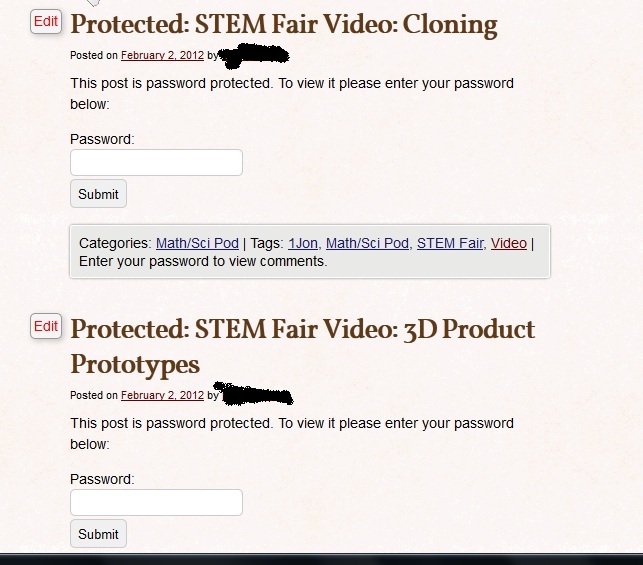
3. Any video is unsearchable & password protected. WordPress can password protect individual posts and many sites like Youtube have an unlisted option.
4. Don’t put anything up which shows the school in a bad light…
5. Last but not least, turn comments off.
I like these rules – if you blog about children, take them into account. Teacher Tom only posts pictures of kids hands and keeps the screen squiggly. Other bloggers do the same. I tend to only take shots of the finished products. Unlike my examples, the student blog has a kid-driven focus – its intent is to show our students and their competence. I try to keep that in mind as I put student work “out there”.
Make it safe & keep the rubber side down.
Seriation on the Rocks

Good order is the foundation of all great things. – Edmund Burke
STEM Project: The CO2 Rocket Car
This is my favorite project from this month’s STEM Fair. A student of mine decided to build CO2 Rocket cars. I loved building one of these in middle school. I distinctly remember my simple teardrop design coming in last and remarking – well, that’s unfair. I didn’t know I could do THAT! – when I saw the winners thin, stretchy, leggy thing. I looked like a duck next to a greyhound.
Last time, my teacher bought a kit. This time, I chose a simple design for this piece – a pine wedge cut from a 2×4, 1/4 inch dowels as axles and wheels cut from plywood using a hole saw. A 3/4 inch Forster bit cut away the hole for a CO2 cartridge (bought at the late night supply run superstore) Walmart – shooting goods section!. My student assembled it and I rigged a firing mechanism and guide rails.
I know my next CAD/Aerospace mash – up. Gliders, racing boats, rocket cars…any other type of fluid dynamics we need to cover?
Make it safe & keep the rubber side down this weekend.
This Week in the Classroom: Spring 2012
In the Spring of 2012, I began my third year as a classroom teacher. I planned on teaching the courses below. It didn’t happen. Instead of a woodshop/technology resource, I became a project-oriented classroom teacher. I taught 6th grade Math/Science & MS/9th Grade Math/Science and took part in two environmental education program periods. The pace (four classes, no planning periods, co-teaching nearly everything) forced me to create or find flexible curriculum, taught me the value of three week (half a quarter) units and helped me become a stronger teacher.
The breakdown of what I wanted to teach after the jump.
This Week in the Classroom: STEM Fair
I’m knee deep in the STEM Fair. Some examples of work from my two or three classes of students.
make it safe & keep the rubber side down.
Student-Built Seesaw (He see-d, he saw-ed, he fell down)
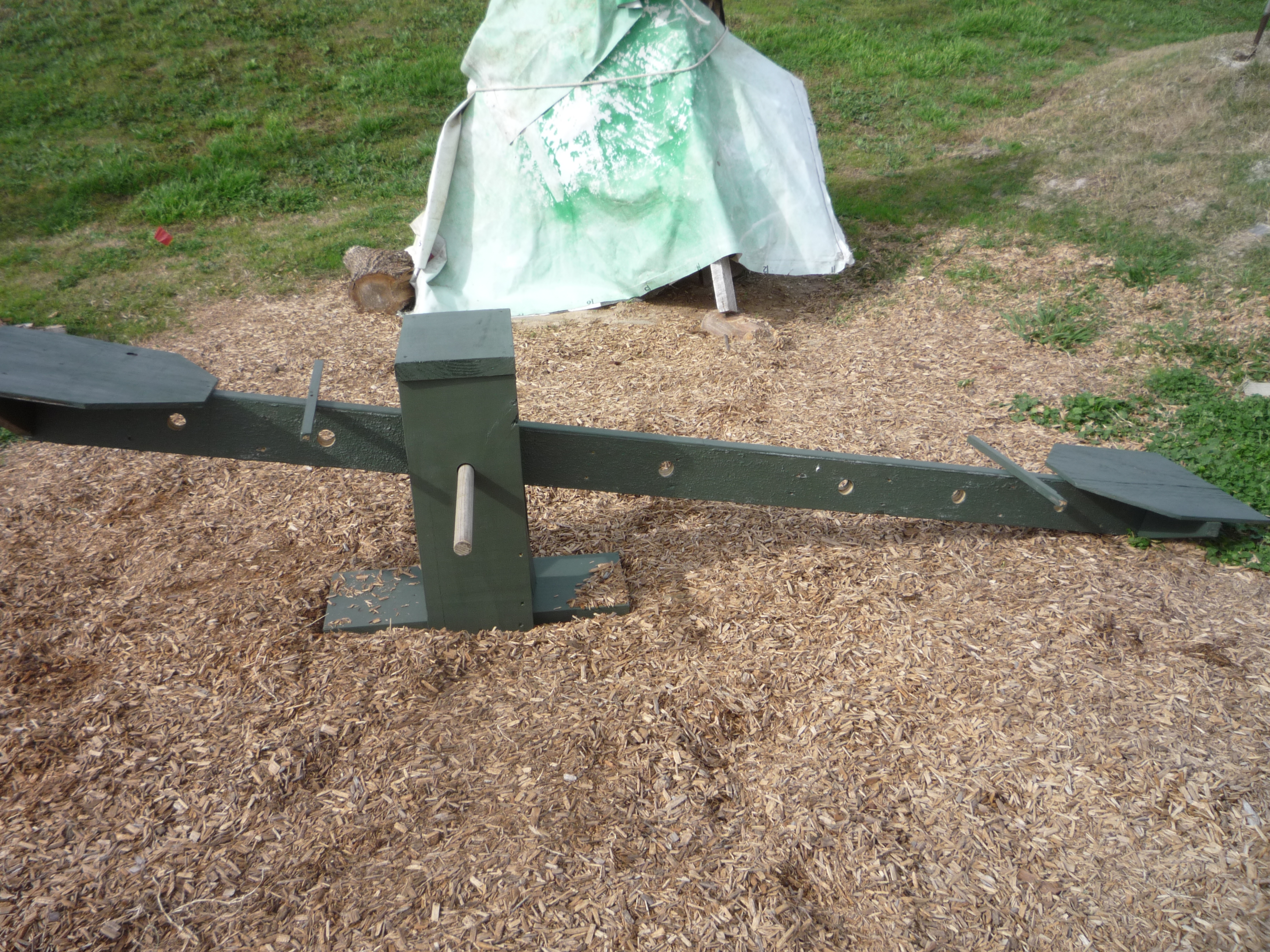
Yesterday, we completed a physics demonstration: The adjustable see-saw. This seesaw has holes drilled into the balancing beam, allowing students/users to experiment with the capabilities of numerous levers. You just shift its position along the beam and viola! Instantly, a foolish grin hits your face as you try to balance anew.
More pictures after the jump…
Continue reading “Student-Built Seesaw (He see-d, he saw-ed, he fell down)”
Picture Frames
I’ve built a few picture frames over the last two years. I’ve enjoyed the process and the opportunity work some hard wood. With all walnut, maple, white oak and red oak scraps I’ve been making I should have raw materials for an entire house! It takes about an hour to make the frame, but years of hard work to get the family right.


In other news, my home workshop has entered into a serious slowdown mode until May. I will not be showing any big projects out of the home shop, although work will be cool. I’m buying my own house this spring and that means the workshop will be moved to a second location…it also means I will get the chance to re-vamp, re-configure and re-vitialize my woodworking space. Should get interesting.
New Year, New Classes
Spring 2012 is here! I have just a (few) new classes. A quick rundown after the jump:

Course Curriculum: Computer Applications:CAD
After my quick reflections on the Tea Box project and my computer science course, I’d like to take a spin over to my most successful, challenging and rewarding class(es) this semester. I had the opportunity to teach 2 CAD courses with a great, energetic group of young men (and one woman). As the year progressed my classes split into three distinct groups – a developmentally young (think elementary-school-age brains) group, a progressing (middle-school-age brains) and a developmentally-ready (high school or middle school) group.
 My CAD course description:
In this course, students will create and build physical and digital representations of the world around them. Piaget’s four stages of cognitive development will frame the instruction to the appropriate cognitive developmental level for each student. Computer Assisted Design is the use of computers and specialized software to create digital objects; be they animations, skyscrapers or the interiors of engines. Students will use Google Sketch Up 8 to re-create and re-imagine the world around them, beginning with a floor-plan of their bedroom and ending with a self-directed project.
What made this course successful? My answer after the jump.
Continue reading “Course Curriculum: Computer Applications:CAD”
 WSC Designs